Available on Mac App Store
Helmet
The World's 1st Web Browser Firewall
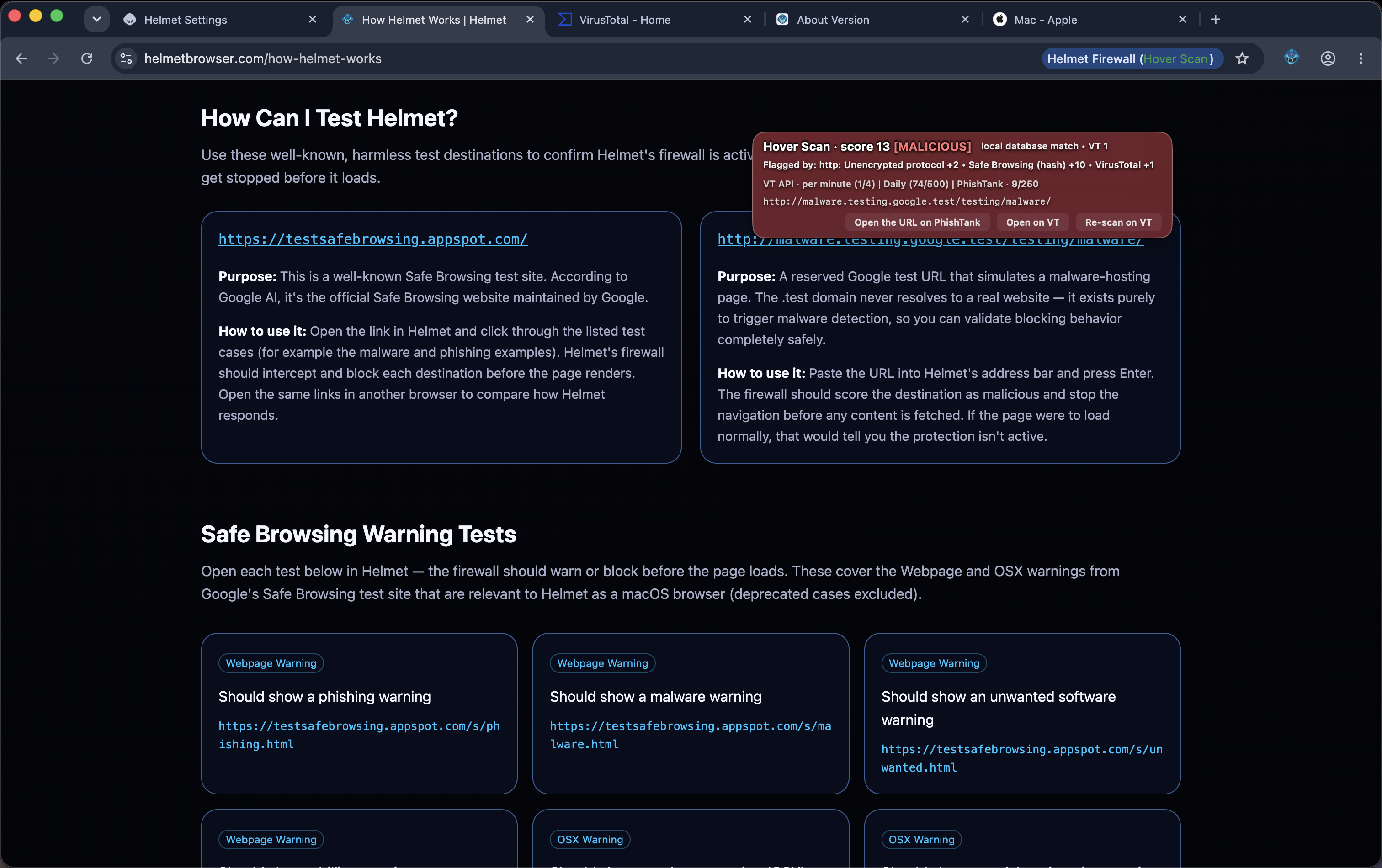
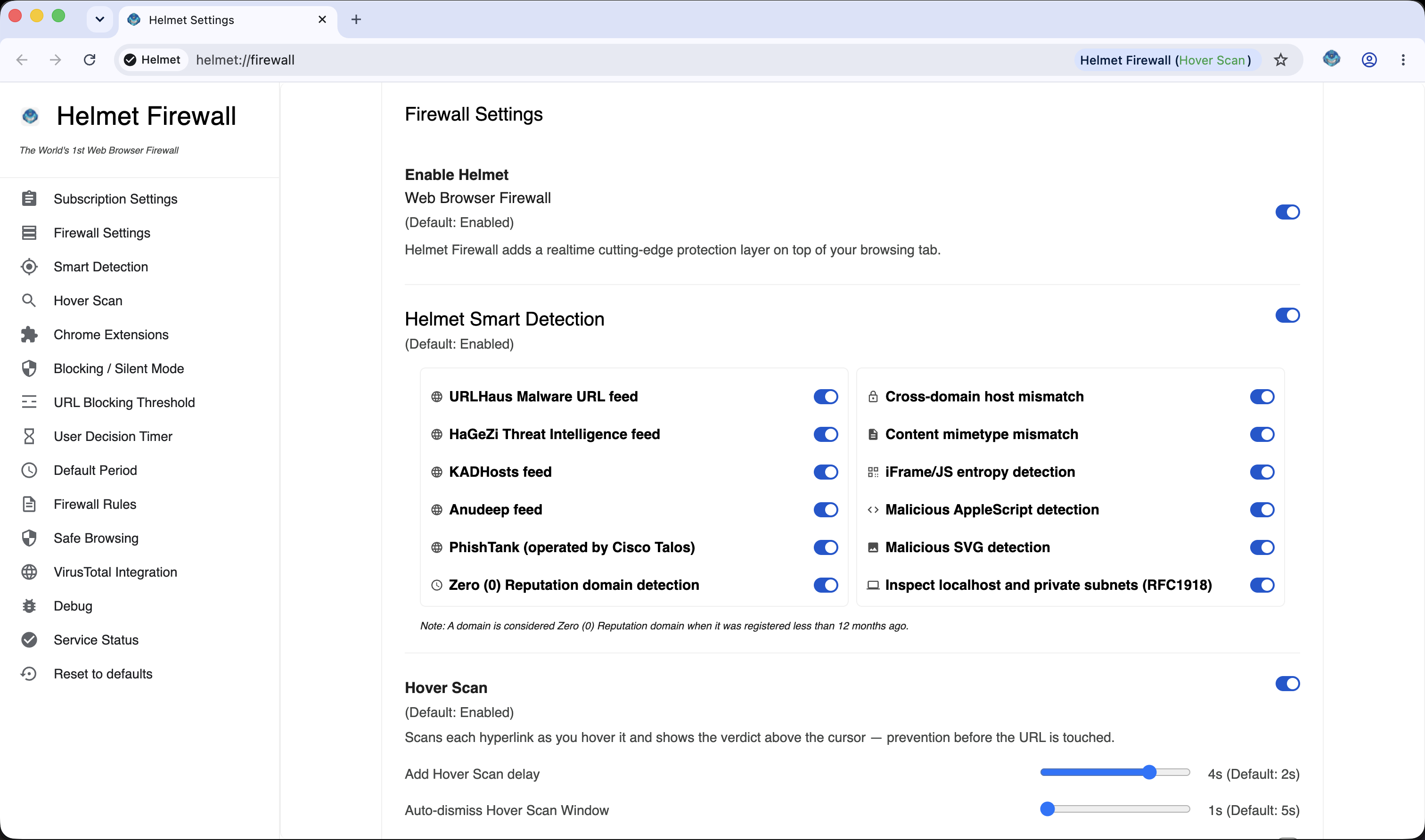
Helmet is a Chromium-based browser for macOS that inspects and scores every URL before it loads. With built-in firewall logic, VirusTotal integration, and live threat intelligence feeds, Helmet blocks malicious destinations in real time – without changing how you browse.
Inspect the initial URL access using blocking mode or silently inspection.

Live Threat Scan
Current tab · Banking session
Protected
Malicious URLs blocked
23
Last 30 days
Threat intel sources
7
VirusTotal + feeds
Firewall decisions
312
Per-URL memory
Silent mode
19
Background scoring
Built for those who can't afford a bad click
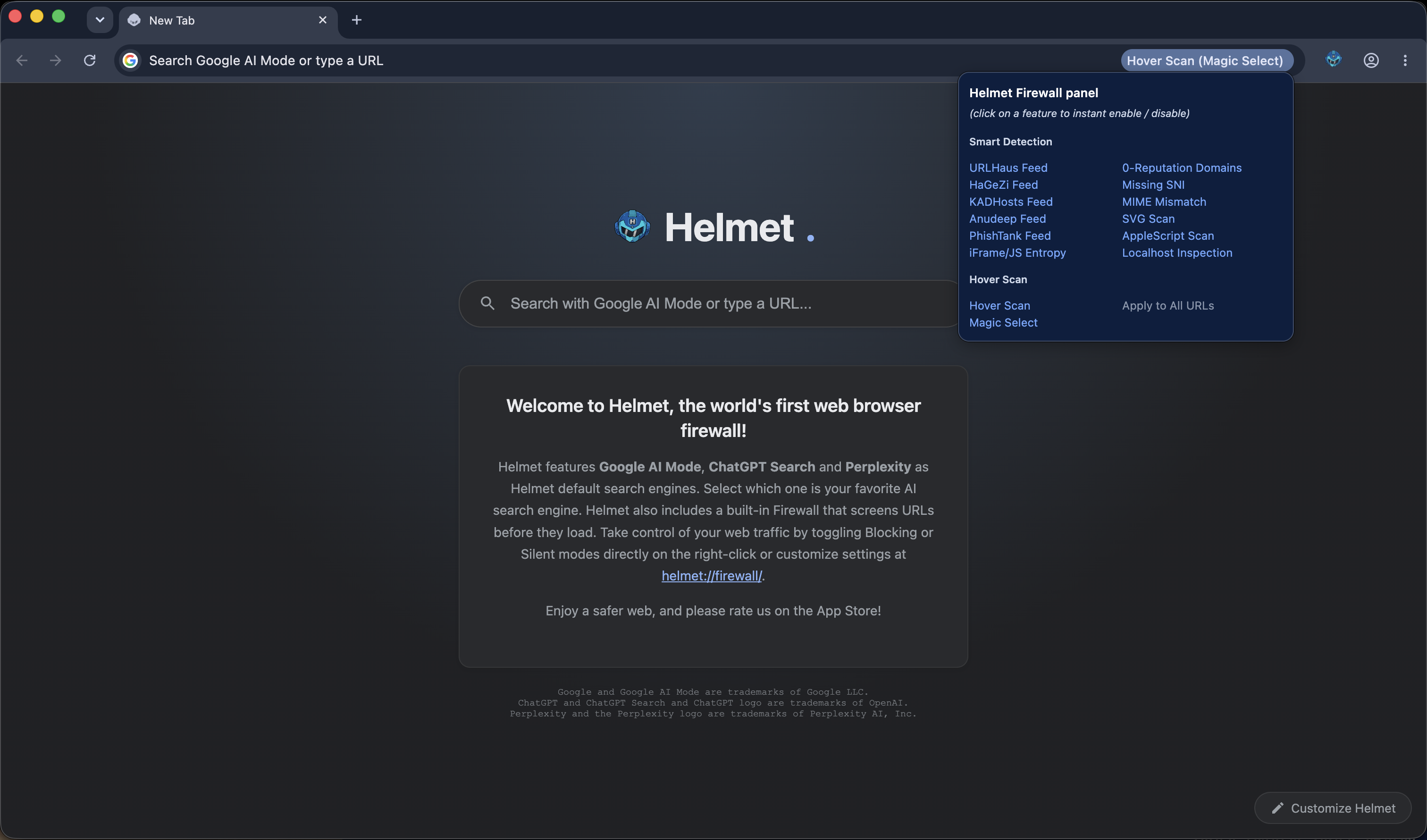
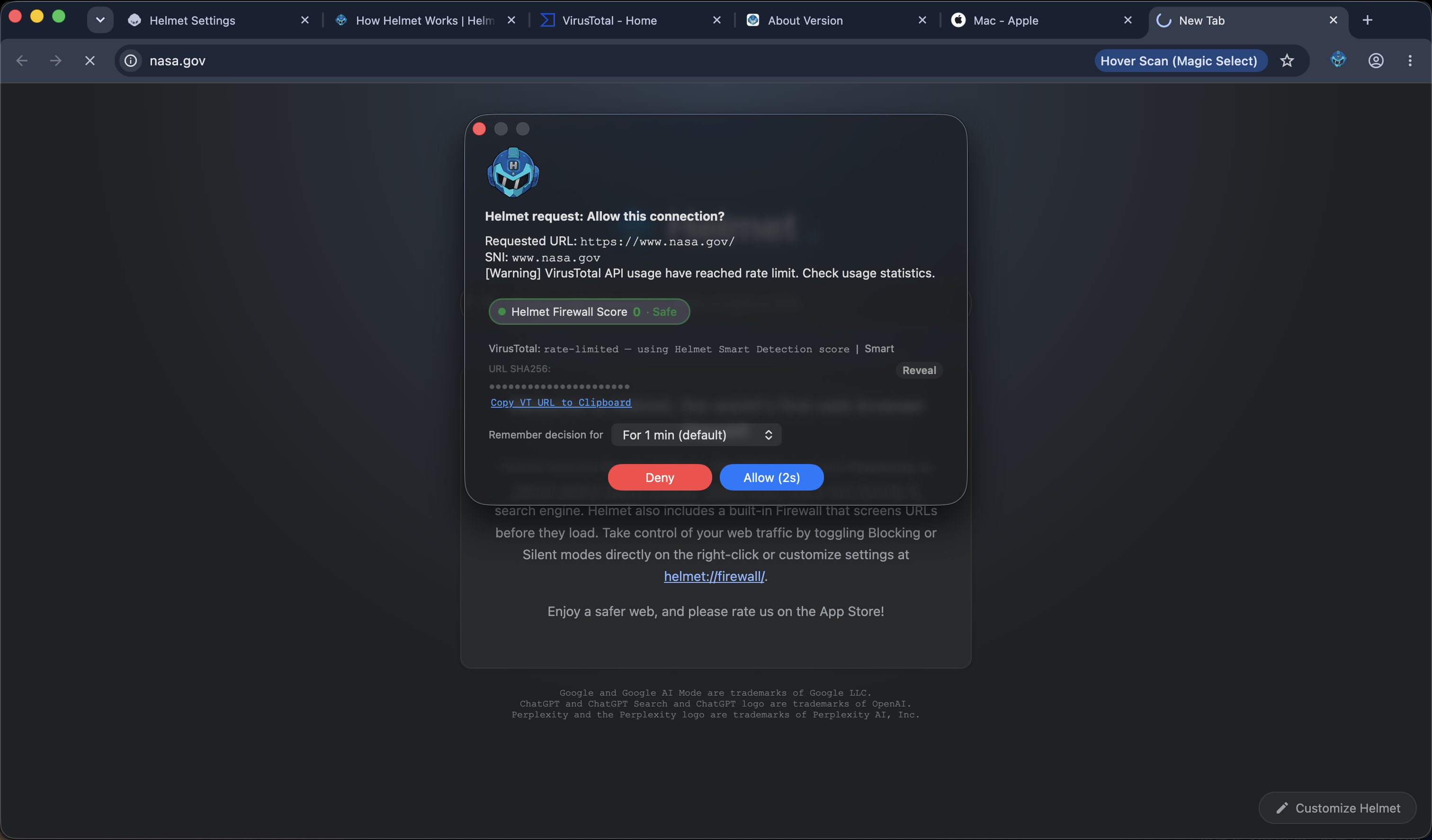
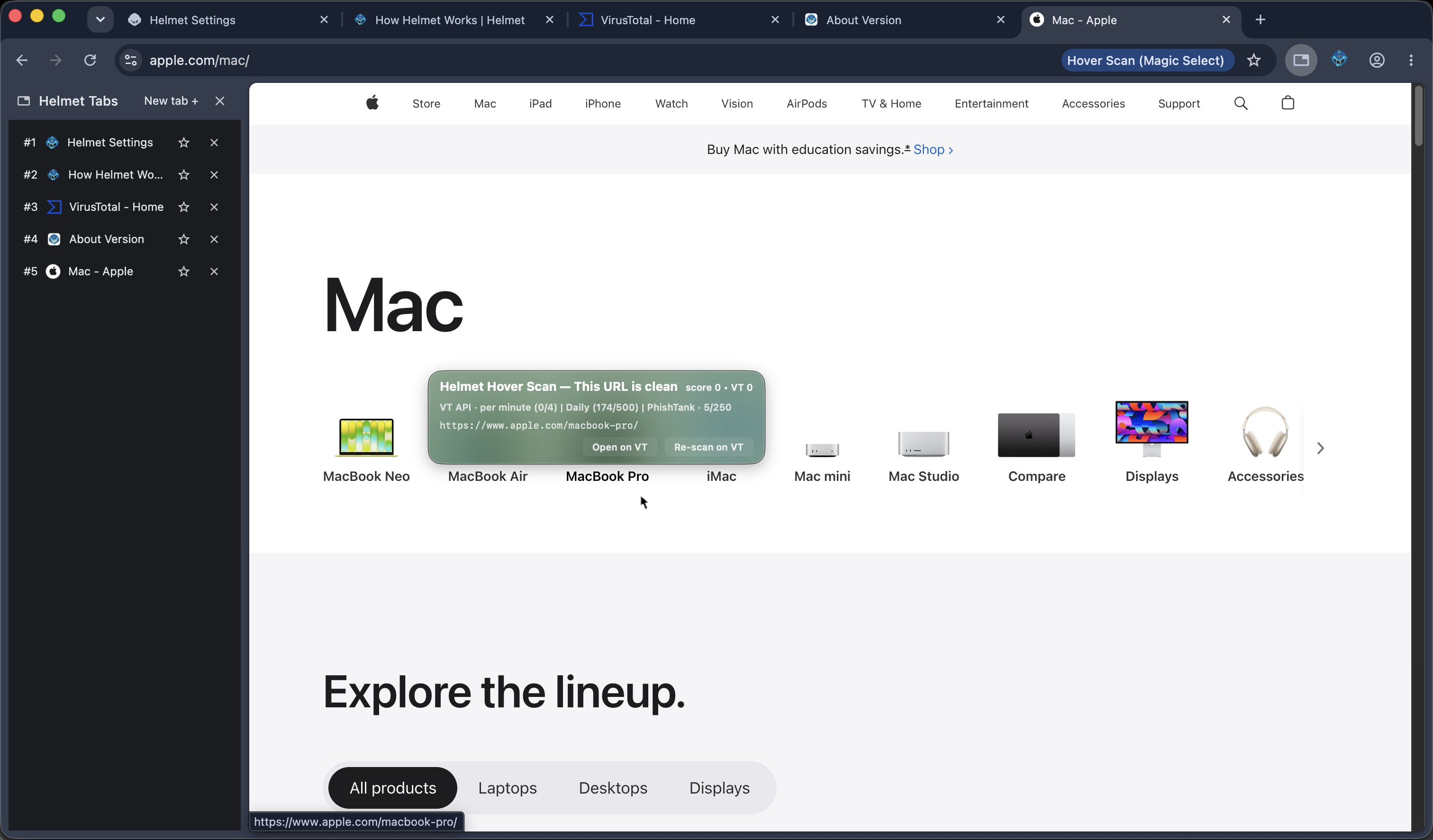
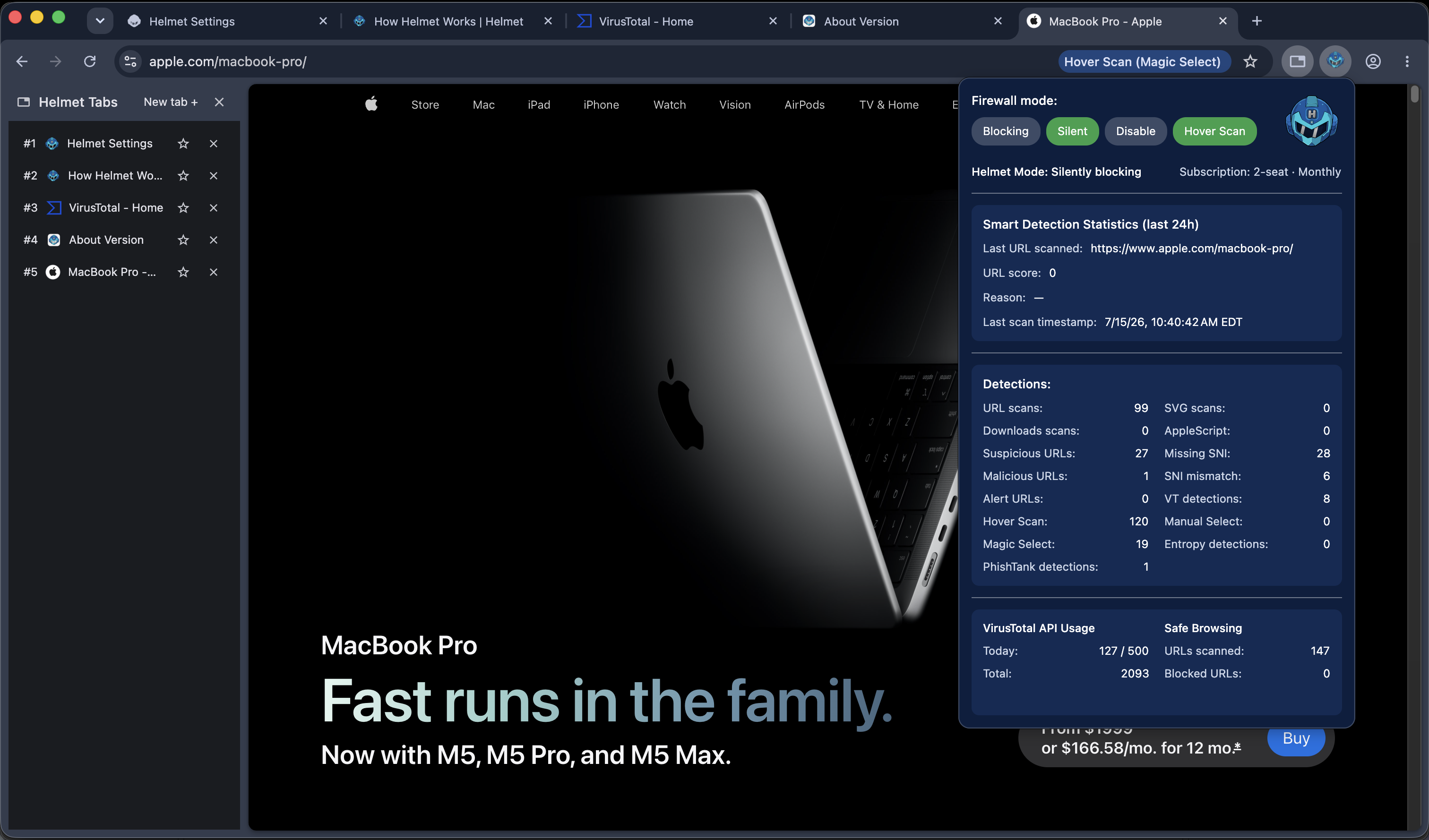
Helmet is a security-first designed web browser, with real security...
Helmet combines a modern Chromium engine with a security stack normally reserved for SOC teams. No extensions, no tuning – just install and browse.
Firewall in your browser
Every request flows through Helmet's decision engine. URLs can be allowed, warned, or blocked before the page has a chance to load malware.
URL firewall
Live threat intelligence
Helmet pulls from VirusTotal and multiple curated feeds to score destinations in real time. Known bad infrastructure is blocked automatically.
VirusTotalPremium TI feeds
Decision memory
When you decide to trust (or block) a destination, Helmet remembers – for as long as you choose. No repeated prompts for reviewed sites.
Hold periodsPer-URL rules
Helmet vs your current browser
Traditional browsers focus on rendering pages quickly. Helmet treats every page as a potential security event.
| Capability | Helmet | Safari | Chrome |
|---|---|---|---|
| Hover Scan | Yes | No | No |
| Magic Select (Scan on-demand) | Yes | No | No |
| Clipboard Scan | Yes | No | No |
| URL firewall before load | Yes | No | No |
| VirusTotal integration | Native | No | No |
| YARA Support | Yes | No | No |
| MCP Monitoring | Yes | No | No |
| Premium TI feeds | Yes | No | No |
| Stored firewall decisions (Firewall Rules) | Yes | No | No |
| Designed for macOS only | Yes | Yes | No |
| Detect malicious SVG / AppleScript file content | Yes | Partial | No |
| Safe Browsing (Available on Helmet free and premium plan) | Yes | Yes | Yes |
* Currently on TestFlight
Simple personal pricing up to 5 multiple devices per Apple Account
Helmet is built for individuals and home offices who want security-grade protection.
Monthly Subscription
$3.99 (USD)per month / device
(plus tax)
Includes full firewall protection and live threat intelligence feeds.
Try Helmet !Annual Subscription
$39.99 (USD)per year / device
(plus tax)
All features plus best price and priority support upon request.
Try Helmet !Frequently asked questions
Is Helmet an antivirus?
No. Helmet is a browser firewall. It focuses on stopping dangerous web destinations before your browser loads them.
Will Helmet slow down my browsing?
Helmet's decision engine runs alongside the network stack and caches results. In most cases, you won't notice any slowdown.
Which platforms are supported?
Helmet is designed exclusively for macOS, with native optimizations for Apple Silicon.
How can I access Helmet Logs?
To access Helmet Logs enable the Debug mode on the Helmet Firewall settings page. Then enter the Helmet Logs page address:
helmet://inspect/ and navigate on helmet://. You can also navigate on all Helmet Debug pages on helmet://helmet-urls.How Helmet handles MCP connection?
To let your AI agent gain control over a Helmet browser instance you should configure your MCP profile to use:
"chromeArg", with the following Helmet arguments: --helmet-enable-debug and --remote-debugging-pipe, so that Helmet allows the AI agent to establish the MCP connection using the inherited FD3/FD4 pipe pair.Note: Use MCP carefully.
Join the Community for Support
Join our Discord community: Helmet Web Browser Firewall - Discord community